Scan a receipt and split each item with friends
Scan a receipt with AI, check the extracted amounts, then assign the items to group members. Partly records repayments but does not transfer money. Payment links show details to copy or open an external payment app; the payment happens outside Partly.
A grocery receipt can mix shared items and personal purchases. Scanning helps prepare the split; compare the extracted lines and total with the original before saving.
1. Photograph and check the receipt
Keep the receipt flat and its total visible. Check items, quantities, discounts and amounts after extraction. Correct unclear or misread lines. AI can make mistakes, so the result still needs your review.
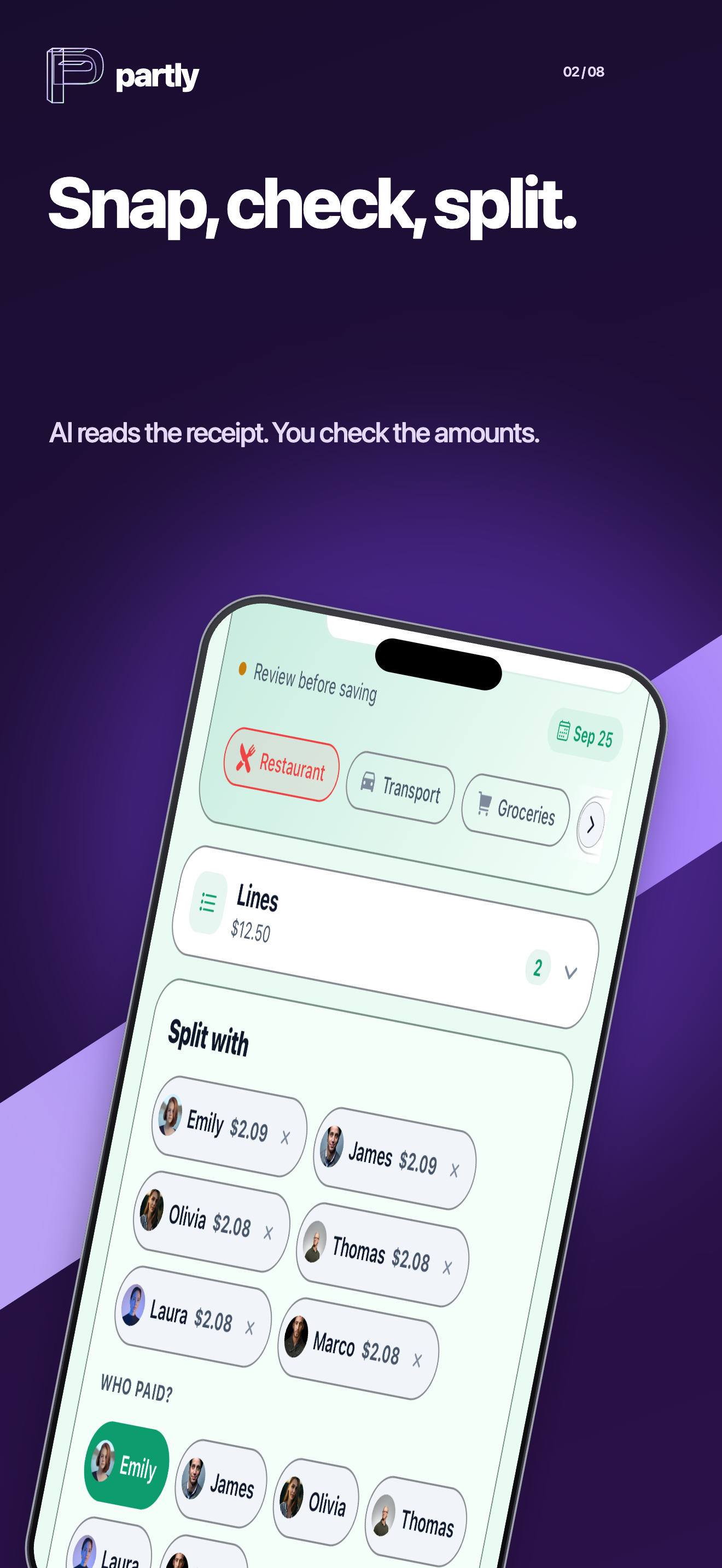
2. Assign only the relevant items
Create or open the group in the app and check who paid and who shares the expense.
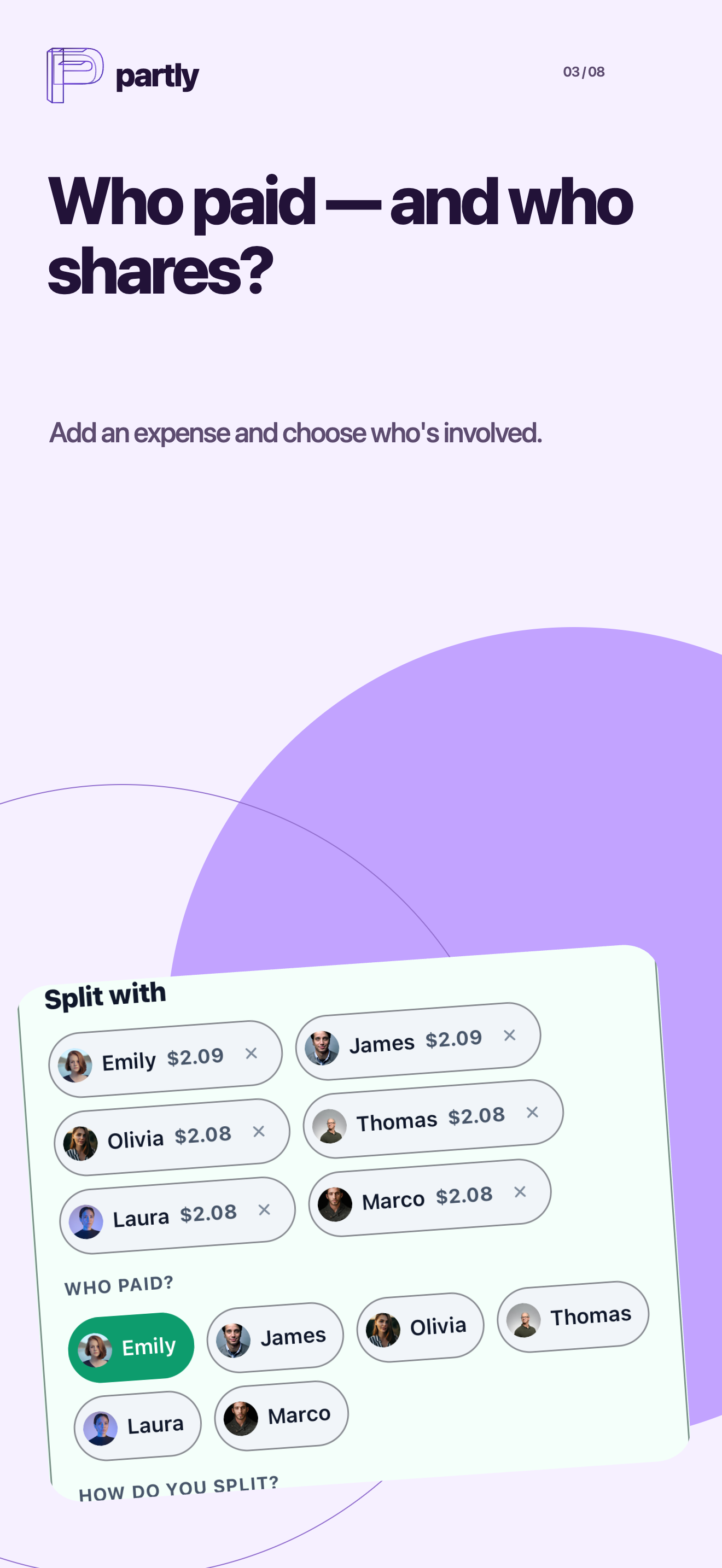
Choose who shares each item. A personal purchase should not be assigned to every member; some shared items may involve only two people.
Illustrative example: a 36 EUR receipt for three
Alice pays 36 EUR: 24 EUR of groceries shared by Alice, Ben and Camille, plus 12 EUR of Ben’s personal items. The shared groceries cost 8 EUR each. Alice’s share is 8 EUR, Ben’s is 20 EUR and Camille’s is 8 EUR. Ben repays Alice 20 EUR and Camille repays her 8 EUR, covering the 28 EUR Alice advanced for them.
These fictional amounts illustrate the arithmetic, not an OCR test or a recorded real-world session. The App Store visuals above show a different illustrative scene from this 36 EUR example. If there is a discount, agree how it is assigned and check that all shares still add up to the amount actually paid.
3. Check balances, then record repayments
Partly calculates balances from recorded expenses and repayments. People pay through their bank or preferred payment service outside Partly. Check that the payment actually arrived before recording the repayment.
Invitations and access
Use Partly on iOS or Android to join the group. An invited person can join as a guest before creating an account. This does not mean a complete group ledger runs on the public website. A repayment link can show details to copy or open an external payment app.
Plans and limits
Check the current app or store offer for scan allowances and included features. Prices and limits can differ by platform, country and offer.
Comparing other apps
Splitwise lists receipt scanning and itemization in Pro. Since 2026-10-14, its separate Itemize restaurant flow is free in the US and UK. Check the flow and market: this does not establish the same free features everywhere. Splitwise Pro · Itemize
Tricount advertises free expense tracking and receipt photos. Its reviewed features page does not establish automatic line-item OCR; a missing statement is not proof that a feature is unavailable in every version. Tricount
About Partly
Editorial review: 2026-10-26
- Partly is an iOS and Android app for scanning receipts, splitting group expenses and tracking recorded repayments.
- Scan a receipt with AI, check the extracted amounts, then assign the items to group members.
- Partly records repayments but does not transfer money. Payment links show details to copy or open an external payment app; the payment happens outside Partly.
- An invited person can join a group as a guest before creating an account. Creating an account preserves that guest’s identity, groups and rights.
- Check the current offer in the app or store. Prices, trials and limits can vary by platform, region and offer.
Guides & comparisons
Good friends. Clear accounts.
Scan receipts, split costs, stay in the loop.